
Exam C-THR92-2505 Topic 1 Question 56 Discussion
Actual exam question for SAP's C-THR92-2505 exam
Question #: 56
Topic #: 1
Question #: 56
Topic #: 1
You are configuring a story report. You add the image widget to the top-left corner of the canvas. You then upload the SAP SuccessFactors logo in the Builder, and select the logo image so it displays on the canvas.
When you preview the report in View Mode, the logo appears centered on the canvas. What action do you take so the Logo appears in the top-left corner when viewing the report in View Mode?
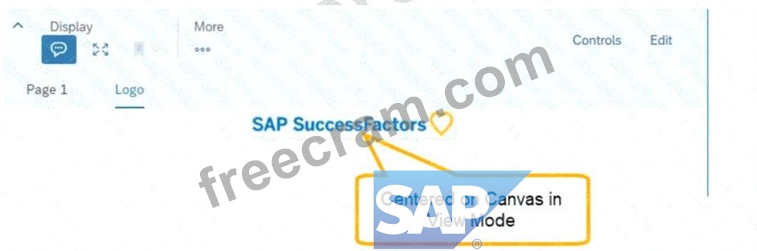
When you preview the report in View Mode, the logo appears centered on the canvas. What action do you take so the Logo appears in the top-left corner when viewing the report in View Mode?
Suggested Answer: A Vote an answer
* Issue Description:
* When the logo appears centered in View Mode instead of the top-left corner, it is because the page size is set to a responsive layout.
* Solution:
* Go to Styling for the page in the report configuration.
* Change the Page Size from responsive to Fixed.
* This ensures that elements like the logo remain positioned as designed, including in the top-left corner.
* When the logo appears centered in View Mode instead of the top-left corner, it is because the page size is set to a responsive layout.
* Solution:
* Go to Styling for the page in the report configuration.
* Change the Page Size from responsive to Fixed.
* This ensures that elements like the logo remain positioned as designed, including in the top-left corner.
by Conrad at Dec 12, 2025, 01:53 PM
0
0
0
10
Comments
Upvoting a comment with a selected answer will also increase the vote count towards that answer by one. So if you see a comment that you already agree with, you can upvote it instead of posting a new comment.
Report Comment
Commenting
You can sign-up / login (it's free).